
For trade contractors
Your AI runs the office.
You run the job.
Biltix is the agentic AI layer for trade contractors. Drop in a drawing set — the AI runs takeoff, drafts the RFI, schedules the submittal, flags the aging pay app, writes the CO. You review, sign, send. Custom workflows fit how your shop runs. Integrations connect every GC and every tool you already use.
Early access · Onboarding new shops in weekly cohorts.
The problem
The work that no one ever wanted to do. Now done by AI.
Trade contractors spend half their day chasing artifacts, drafting boilerplate, copying numbers between systems. The bid, the build, the bill — most of the office work is mechanical. That’s exactly what agents do well.
Saved per bid when AI runs takeoff. Most teams cut takeoff time from days to hours and bid two-to-three times more work per quarter.
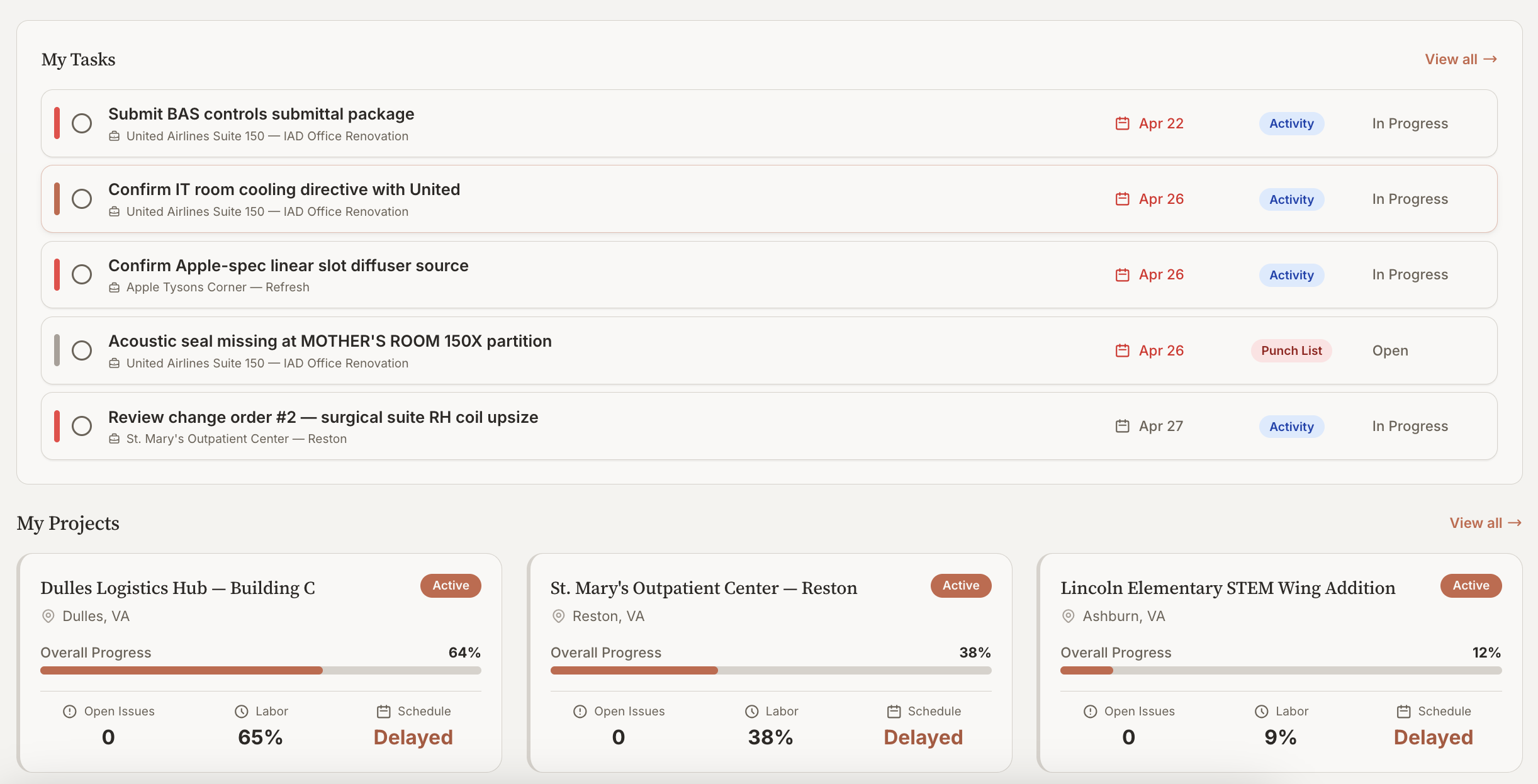
GC platforms a mid-size trade logs into every week. Biltix sits over them — read every GC’s data, run your own process on top.
Average days from work-completed to cash-in-bank. AI agents watching pay apps, retention, and CO approvals shave weeks off this.
What the AI runs
Every workflow your trade runs — automated end-to-end.
Agents need surface area. Biltix gives them every artifact, every stage, every job. From the first take-off to the final pay app, the AI works alongside your team across all of it.
AI takeoff for bidding
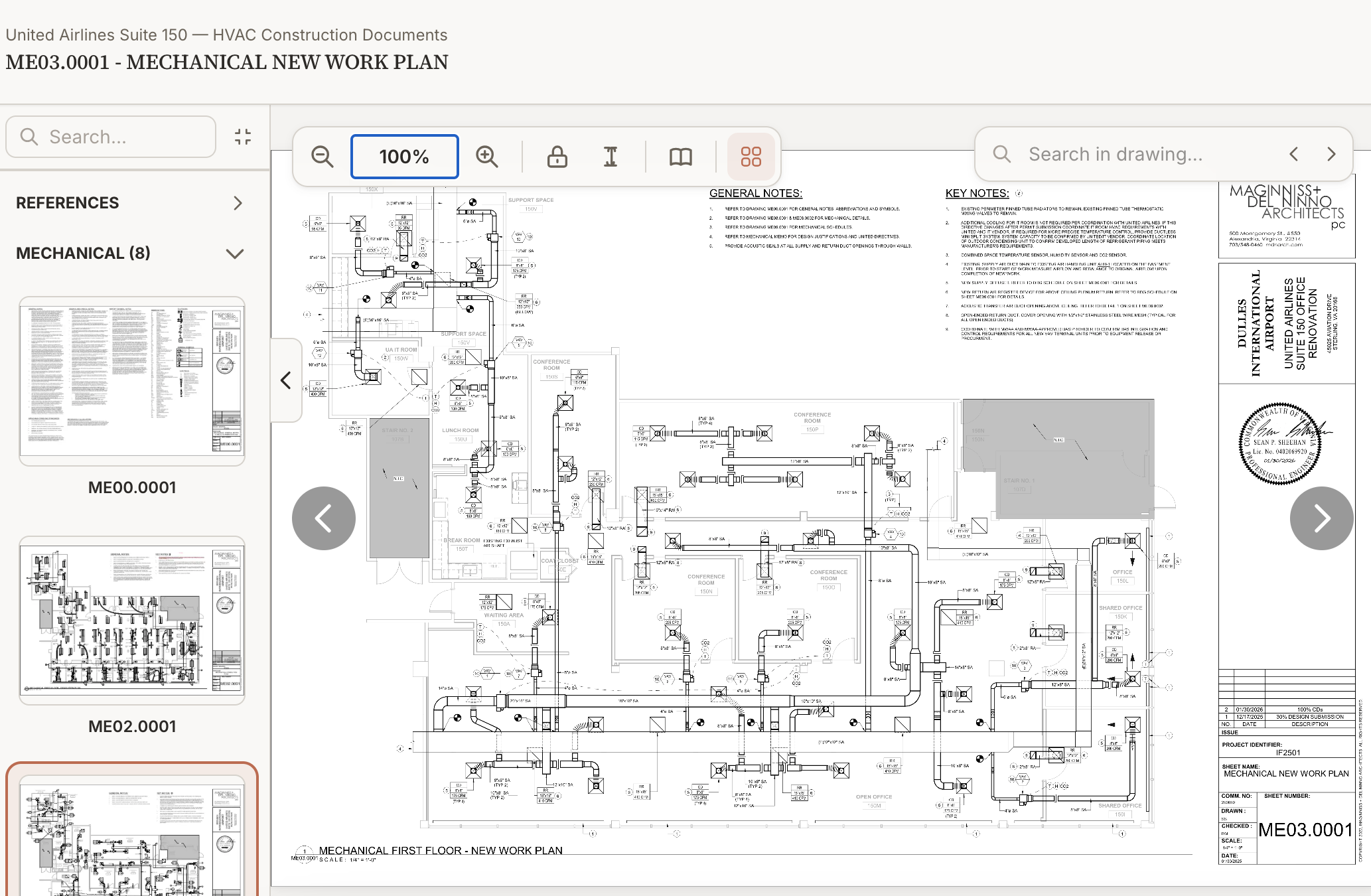
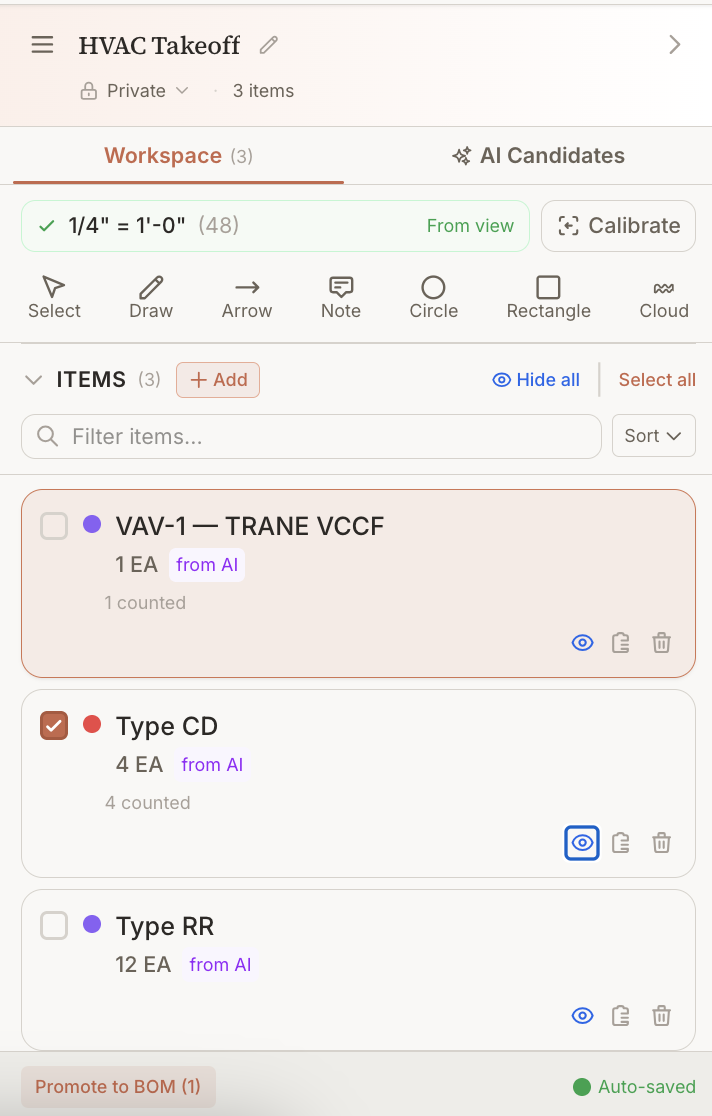
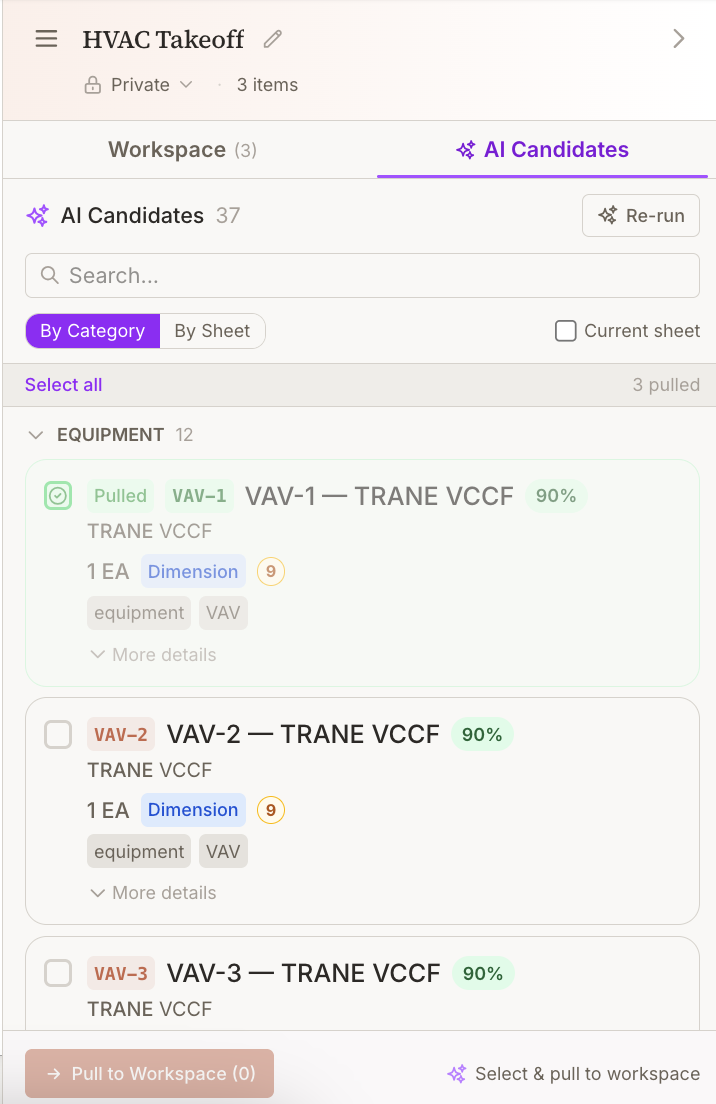
Drop in a drawing set. Biltix extracts your scope — fixtures, equipment, fittings, runs — with quantities, callouts, and CSI mapping in minutes. Bid more, win more.
Your drawings, your markups
Pull drawings from any GC’s system. Mark them up, redline, generate shop drawings. Everything pinned to sheets stays with you across the job.
RFIs that don’t get lost
Draft RFIs to the GC with drawing snippets attached. Track which ones are blocking your work. Surface answers so your foreman doesn’t ask the same question twice.
Submittals + supplier round-trips
Build your submittals to the GC with packages from your suppliers. Track stamps, redlines, and revisions without a 40-message Outlook thread.
CO requests that get paid
Capture every scope change the second it’s asked for. Cost, schedule impact, drawing reference — sent to the GC, tracked to approval, rolled into your forecast.
Pay apps & retention
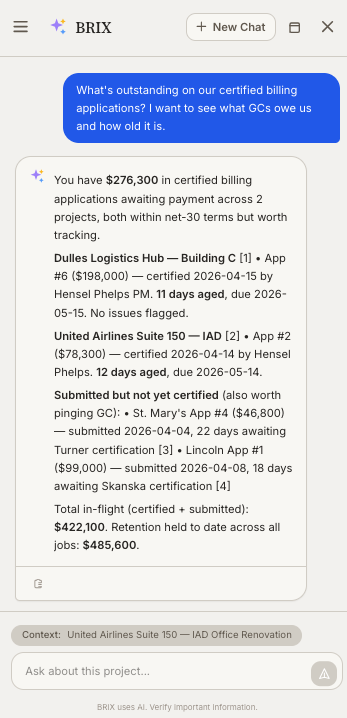
Generate G702/G703 pay apps from actual progress, not guesswork. Track retention across jobs. See exactly what each GC owes you, this month and total.
Daily reports + crew hours
90-second mobile capture: crew, hours, deliveries, blockers, photos. Hours roll into job cost. Productivity by crew, by job, by trade — visible from day one.
Tools, equipment, rentals
Track every piece of gear — what’s on which job, what’s rented, what’s due back. Catch idle rentals before they eat margin.
AI that knows your scope
Ask anything across all your jobs: “Which subs owe me submittals?” “What COs are pending approval?” “Where’s the lead time on Job 412?” Cited answers, real actions.
Agentic AI
AI that does the work, not just answers questions.
BRIX is not a chatbot. It reads your drawings and runs takeoff. Drafts RFI responses against the spec PDFs. Watches your submittal queue and chases stale supplier responses. Flags pay-app aging and writes the email. You review and send — you don’t start from a blank page.
- AI takeoff across full drawing sets — line items, quantities, CSI mapping
- Drafted RFI responses, CO write-ups, pay-app reminders queued for your review
- Background agents watching submittals, lead times, retention aging
- Cited answers across every active job — drag a drawing pin and ask
Custom workflows
Your shop’s process. Configured, not coded.
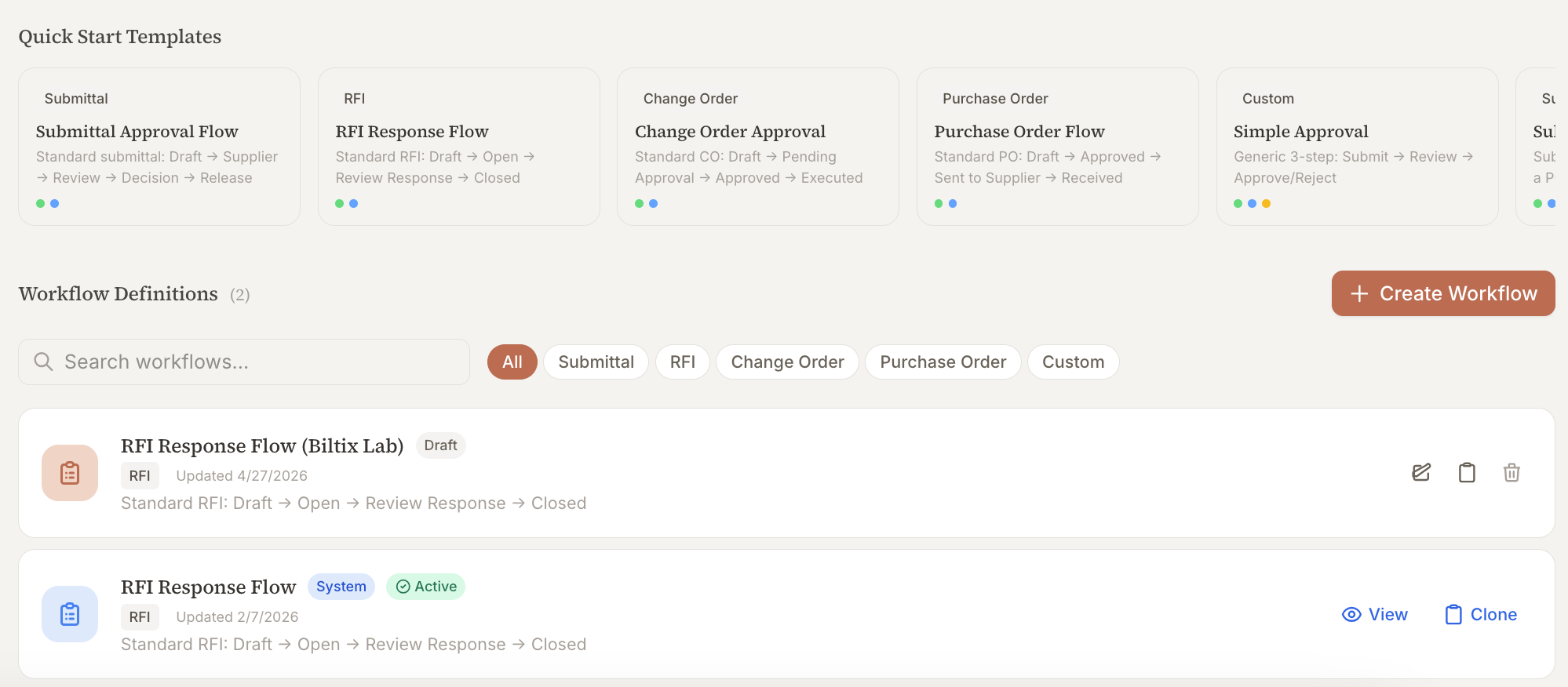
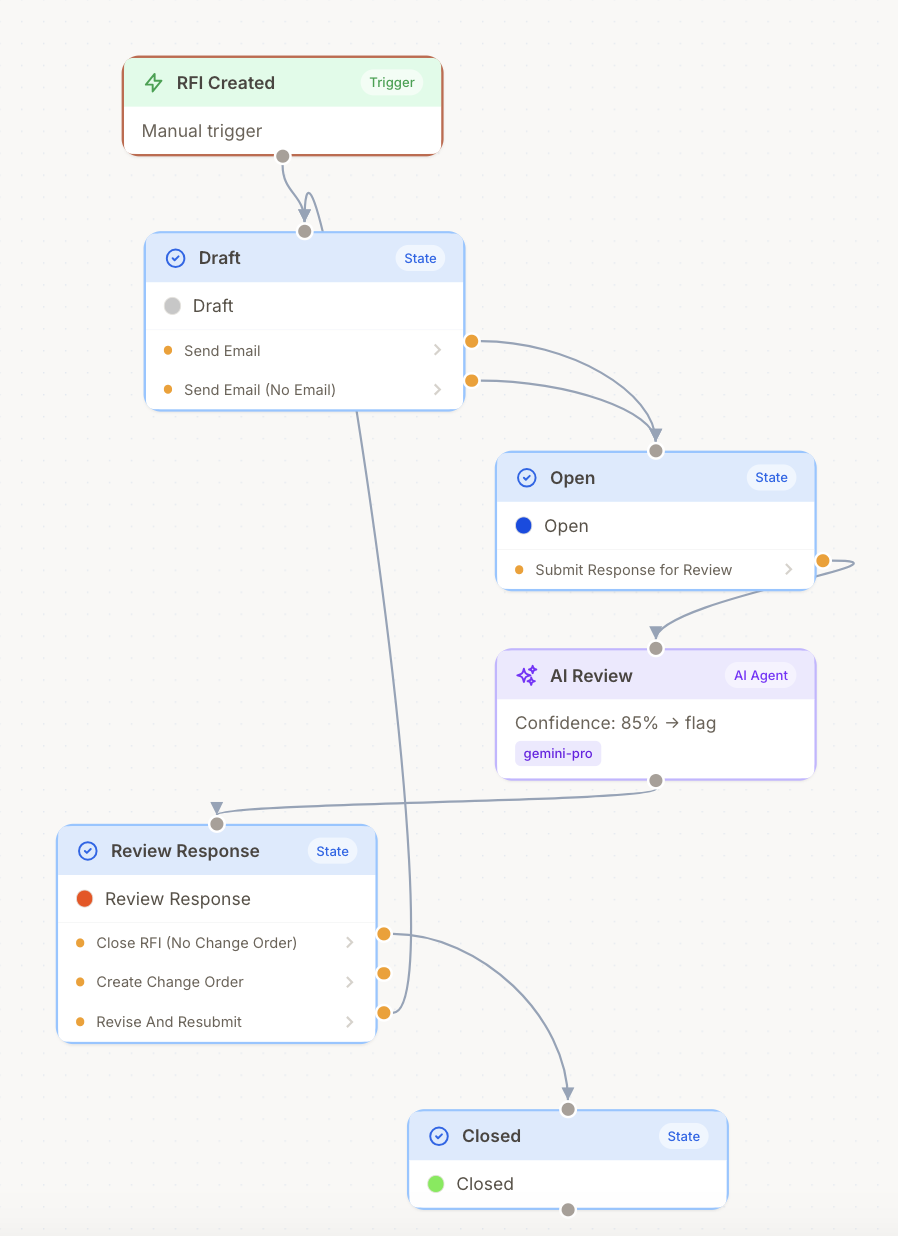
No two trade contractors run the same process. Biltix lets you configure submittal review chains, RFI routing, CO approval flows, daily-report templates, and role permissions per organization — once, then applied across every job. Set the rules; the AI follows them.
- Submittal review chains: supplier → field engineer → PM → GC reviewer
- CO approval flows with cost-threshold escalation
- Per-job role permissions — estimators see bids, foremen see field
- Daily-report templates and reference data per organization
- Audit trail on every workflow action
Integrations
One layer over every GC and every tool.
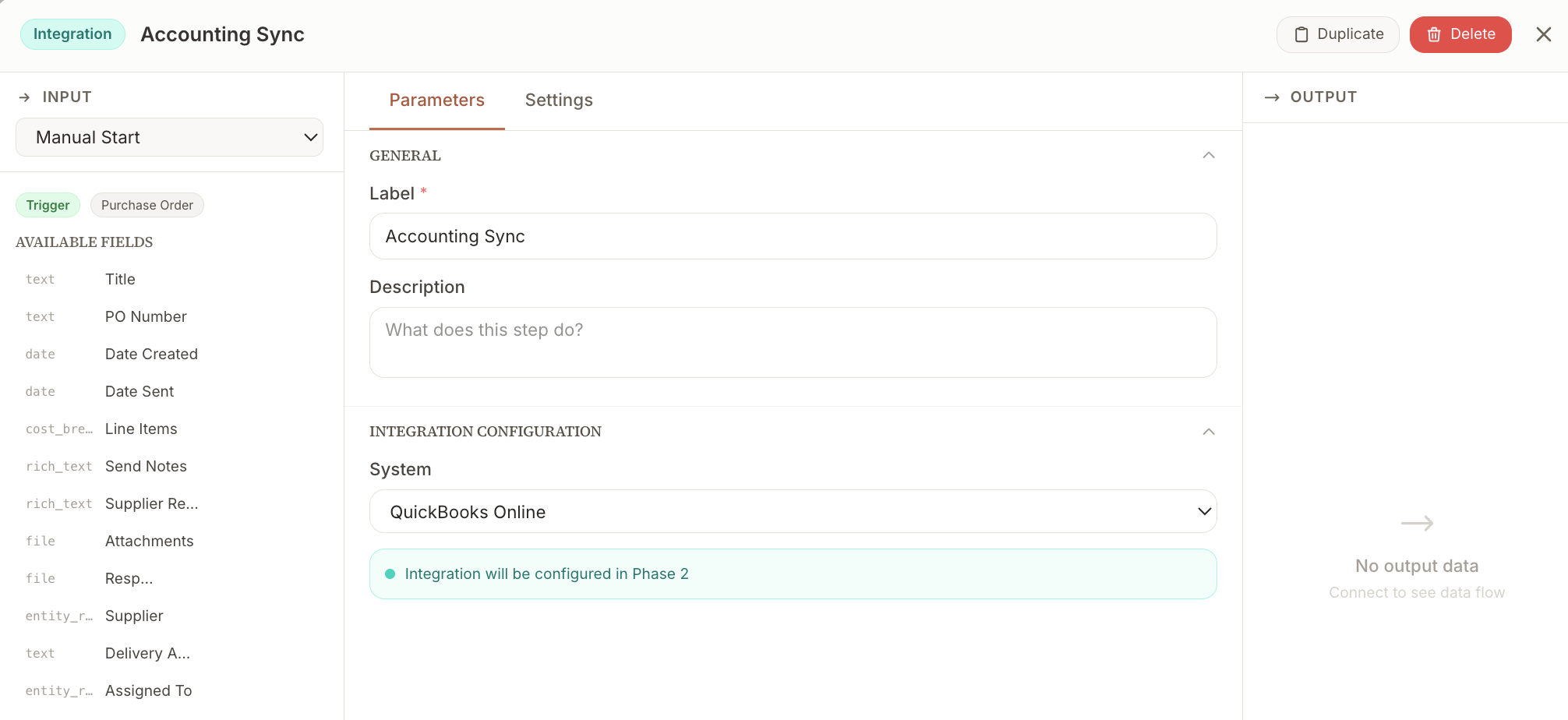
Procore, Autodesk Build, Outlook, Claude, Cursor, ChatGPT, Linear, Slack — Biltix is the layer that makes them work together. Read every GC’s data through their API. Use every AI tool through MCP. Never log into six platforms again.
- Accounting: QuickBooks Online and Foundation Software — wired in as workflow steps so POs and pay apps sync to your books
- GC platforms: Procore, Autodesk Build (rolling out)
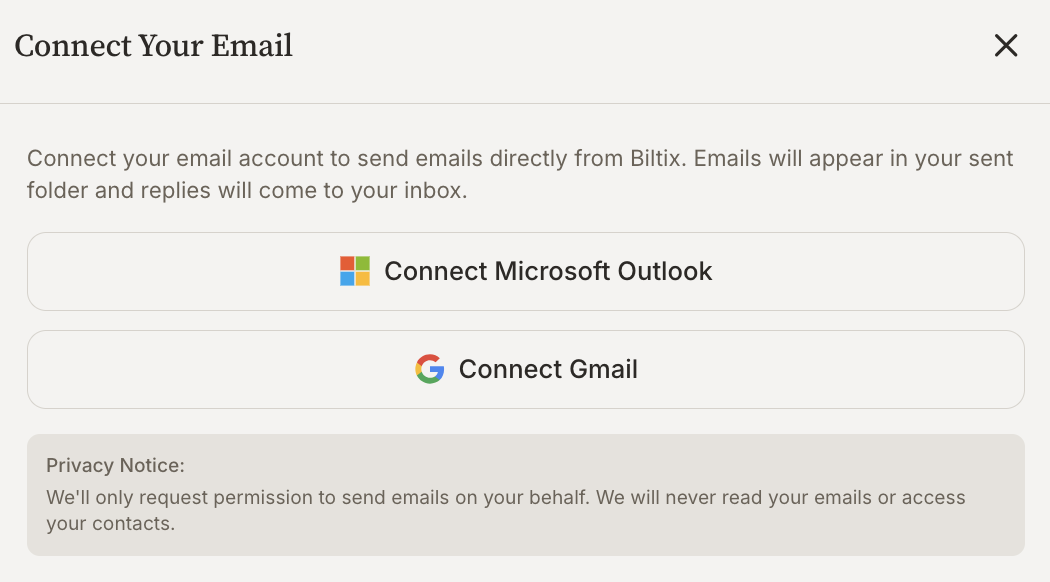
- Email: Outlook + Gmail — GC correspondence parsed into the right job
- AI tools: Claude, Cursor, ChatGPT — through the Biltix MCP server
From bid to final pay app
Every phase of the job, one platform.
Your team works the same way it always has — Biltix just makes the data move.
- 01
Bid
AI takeoff, scope build, proposal generation.
- 02
Mobilize
Submittals, suppliers, schedule, crew assignment.
- 03
Build
RFIs, COs, daily reports, productivity tracking.
- 04
Bill
Pay apps, retention, punch closeout, final invoice.
FAQ
Common questions.
What does "agentic AI" mean in Biltix?
It means the AI does the work, not just answers questions. Biltix reads your drawings and runs takeoff. Drafts RFI responses against the spec PDFs. Watches your submittal queue and chases stale supplier responses. Flags pay-app aging and writes the email. You review and send — you don’t start from a blank page.
Can I customize how my workflows run?
Yes — without writing code. Submittal review chains, RFI routing, CO approval flows, daily-report templates, role permissions: configured per organization, applied across every job. Set it once, the AI follows your process every time.
What integrations are live today?
Email (Outlook + Gmail) for ingesting GC correspondence into the right project. The Biltix MCP server, so Claude, Cursor, and ChatGPT can read your data and take actions on it. Procore + Autodesk Build connectors are in active rollout. Slack, Linear, and Calendar are next.
Who is Biltix for?
Trade contractors running multiple jobs at once. If your team bids work, runs scope under a GC, and bills monthly pay apps, Biltix is built for you. Trade-agnostic by design — onboarding more disciplines as we grow.
How is Biltix different from Procore, Autodesk Build, or Fieldwire?
Those are GC platforms — and you probably already log into three of them. Biltix is the AI-native operating layer for your shop. We connect to those GC systems instead of replacing them. Every artifact lives in Biltix, every workflow runs through your process, every AI tool can reach the data.
How does AI takeoff actually work for bidding?
Drop a drawing set into Biltix. The AI extracts your scope — fixtures, equipment, fittings, devices, runs — with quantities, callouts, and CSI mapping. You review, edit, and push to your bid. Most teams cut takeoff time from days to hours.
How long does implementation take?
Most teams run their first bid through Biltix the same week they sign up. Active jobs migrate as you go — pay apps next month, RFIs and COs as they come in. You don’t need a six-month rollout to start getting value.
Early access · By invitation
Reserve your spot. We’re onboarding new shops in waves.
Join the waitlist to lock in early-access pricing and a 30-minute working session on a real bid from your shop. We onboard new trade contractors in weekly cohorts — your spot opens when we reach you in line.